PWA · Vue 3 · Go
Your music.
Everywhere.
A dark, mobile-first player for local files, S3 and Google Drive — with built-in Soulseek search, smart tagging and a real-time visualizer.
Why Listune
Local, S3 & Drive
Add folders, buckets and cloud drives without uploading a thing.
Soulseek inside search
Find and download tracks without leaving your library.
Auto tagging
Fingerprint untagged files, then write metadata back to disk.
Plays offline
A service worker keeps the app shell ready on the go.
Sources
Bring all your music together
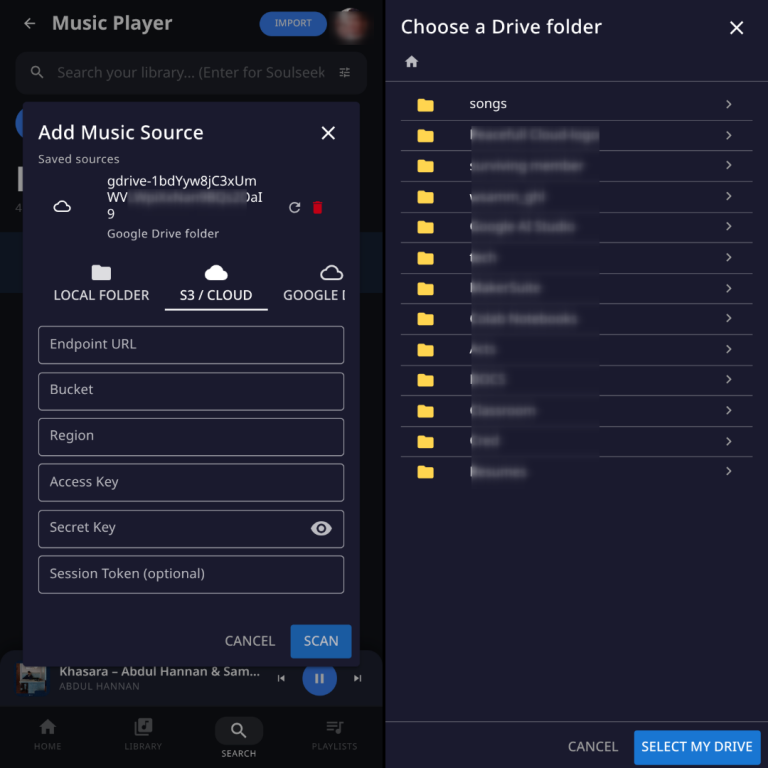
Point Listune at a local folder, an S3 bucket or a Google Drive folder. Everything is indexed in the background and played straight from the source.
- Local folders via the File System Access API
- S3-compatible buckets with pre-signed URLs
- Google Drive streaming through the backend
- Server library folder for downloads and imports
Library
Organized without the busywork
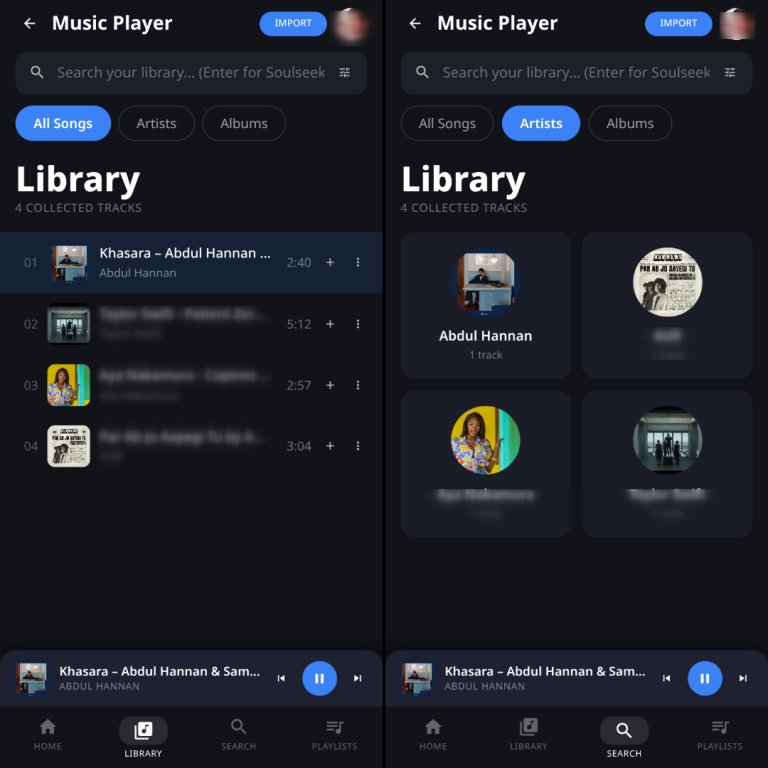
Tags are read in a background worker — title, artist, album, artwork and duration — with a filename fallback when metadata is missing.
- All Songs, Artists and Albums views
- Instant search with virtual scrolling
- Lazy-loaded artwork thumbnails
- One click to identify and tag untagged tracks
Soulseek
Search the network, right here
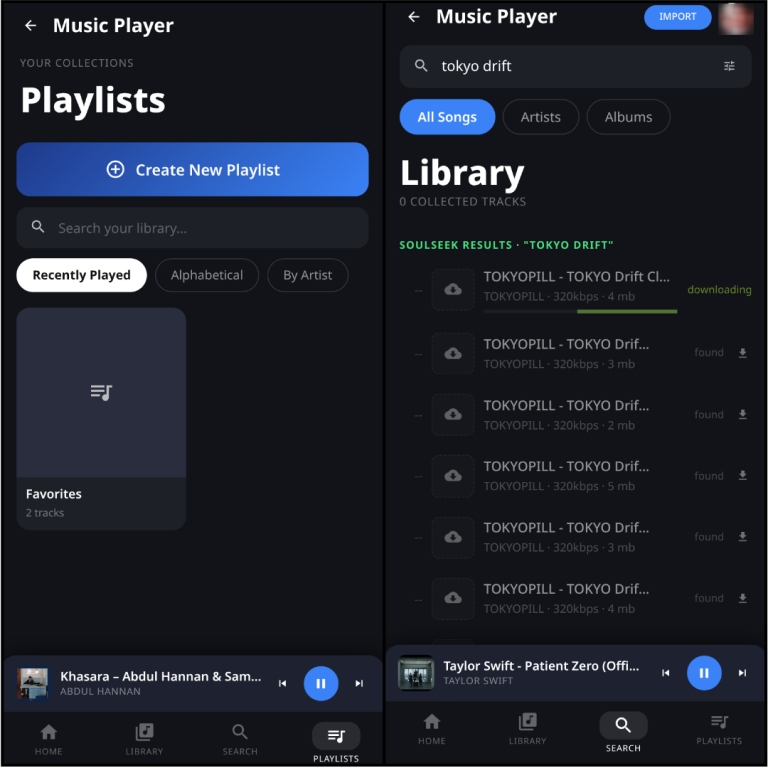
Press Enter in the search bar and Listune queries the Soulseek network. Library matches come first, then downloadable results.
- MP3 or FLAC with optional bitrate filter
- Search options remembered between sessions
- Faded placeholders show live download progress
- Finished tracks drop into your library automatically
Player
A player worth watching
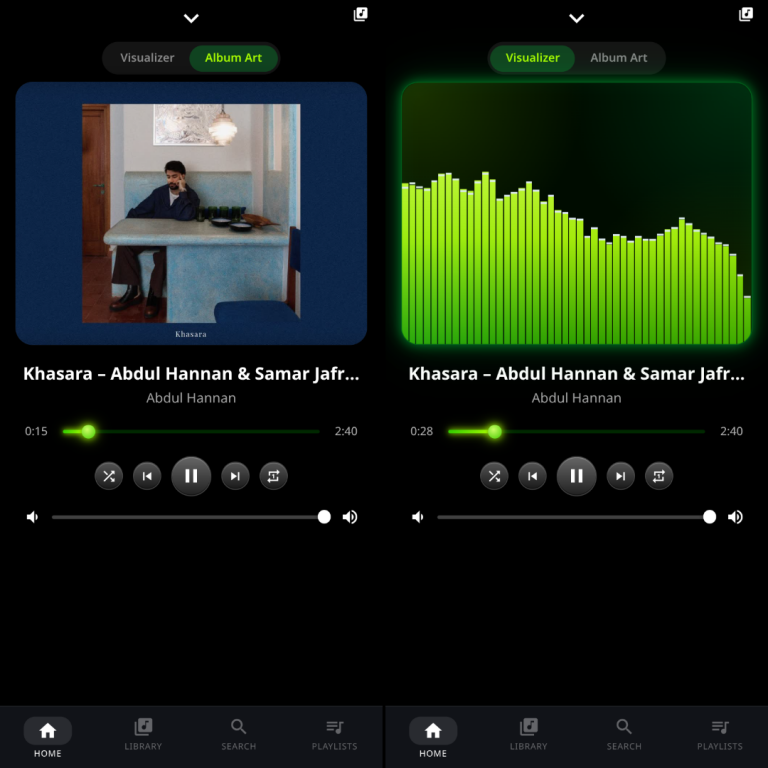
A full-screen dark player with a glowing seek bar, metallic transport controls and a lime-green frequency visualizer rendered off the main thread.
- Album art and visualizer modes
- Shuffle, loop and queue control
- Lock-screen controls via the Media Session API
- Keyboard shortcuts for everything
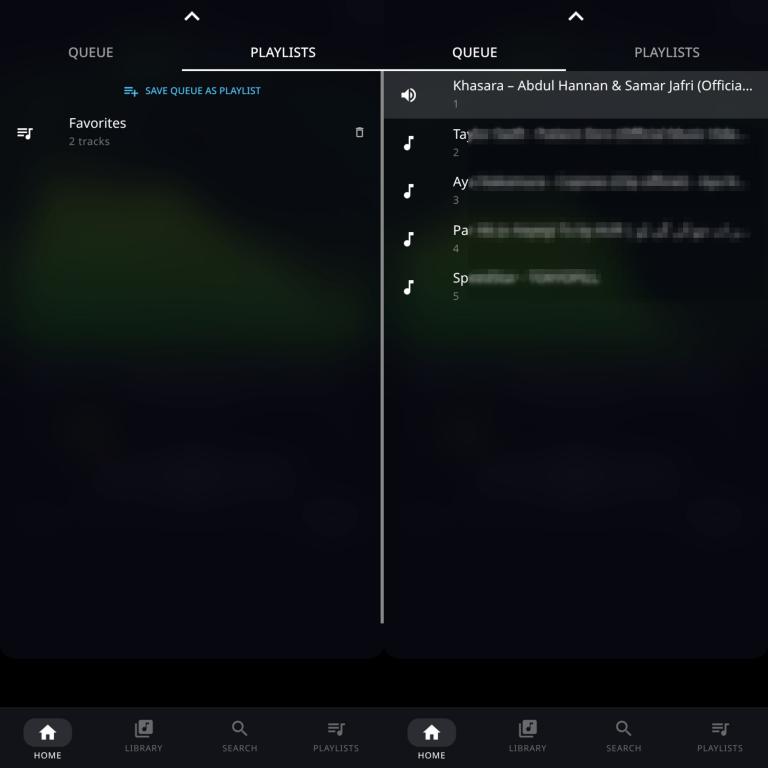
Playlists
Queue it. Save it. Keep it.
Build playlists, drag your current queue into one and find them again later, sorted the way you like.
- Create and name playlists
- Save the current queue as a playlist
- Sort by recent, alphabetical or artist
- Persisted locally, ready offline
Questions
Frequently asked
What is Listune?
Listune is a free, open-source, dark-themed music player PWA. It plays audio from local folders, S3 buckets and Google Drive, and includes built-in Soulseek search, automatic audio fingerprinting and tagging, playlists and a real-time visualizer.
Does Listune work offline?
Yes. Listune is a progressive web app; a service worker caches the app shell so the interface loads offline. Audio streams from the source you choose.
Does Listune support Soulseek?
Yes. Search the network straight from the library search bar, filter by MP3 or FLAC and bitrate, watch download progress inline, and finished tracks land in your library.
Is Listune free?
Yes. Listune is free and open source — self-host the frontend and Go backend and use your own storage.